
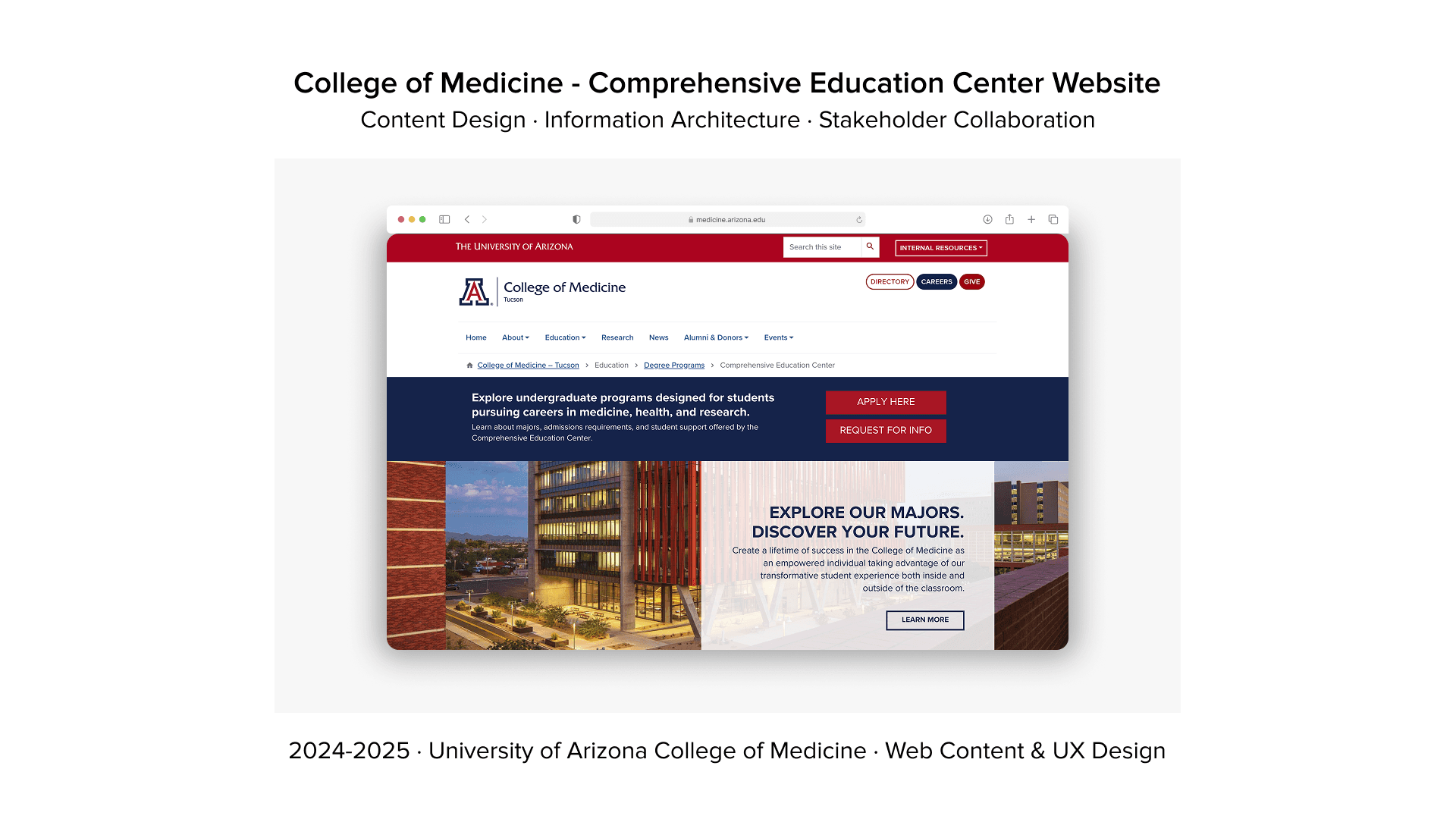
Challenge
The University of Arizona College of Medicine – Tucson was launching the Comprehensive Education Center (CEC), a brand-new department designed to support undergraduate pre-med students. The CEC needed a digital presence from scratch to serve as the central hub for academic advising, research opportunities, volunteer programs, clubs, mentoring, jobs/internships, and student resources.
With no existing website structure, students had nowhere to go for critical information. Advising options were unclear, resources were scattered across multiple platforms, and upcoming events had no central calendar. The university needed a scalable, accessible website that would serve diverse users — current students, prospective students, parents, faculty, and staff — while adhering to strict university brand guidelines and WCAG accessibility standards.
Solution
I designed the Comprehensive Education Center website from the ground up, creating a task-oriented information architecture that prioritized student needs over administrative structure. The site became a one-stop hub for students to explore undergraduate majors (Medicine, Physiology, EMS, Medical Device Development), access advising resources, discover clubs and volunteer opportunities, find jobs/internships, connect with alumni, and register for CEC-hosted events.
By conducting extensive user research with students, faculty, and parents, I ensured the design balanced the needs of all stakeholder groups while maintaining simplicity and clarity. The final solution included a responsive website, social media templates for CEC promotion, and a design framework for future designers to maintain consistency across all College of Medicine digital properties.
Impact
Successfully launched the CEC website, now serving 5,000+ undergraduate pre-med students at the University of Arizona. Reduced task completion time by 40% through improved navigation and information architecture. Created a centralized resource hub that decreased support tickets and advisor workload by making critical information easily accessible. The design framework ensured scalability, allowing CEC staff to update events, add resources, and manage content without requiring designer intervention. Student feedback highlighted significant improvements in findability and usability compared to the fragmented system that existed before.
01
RESEARCH
Designing for a medical college meant understanding diverse user groups with conflicting needs: students looking for course information, parents seeking admissions details, faculty needing administrative tools, and a new department requiring its own identity within the larger system.
02
USER INTERVIEWS
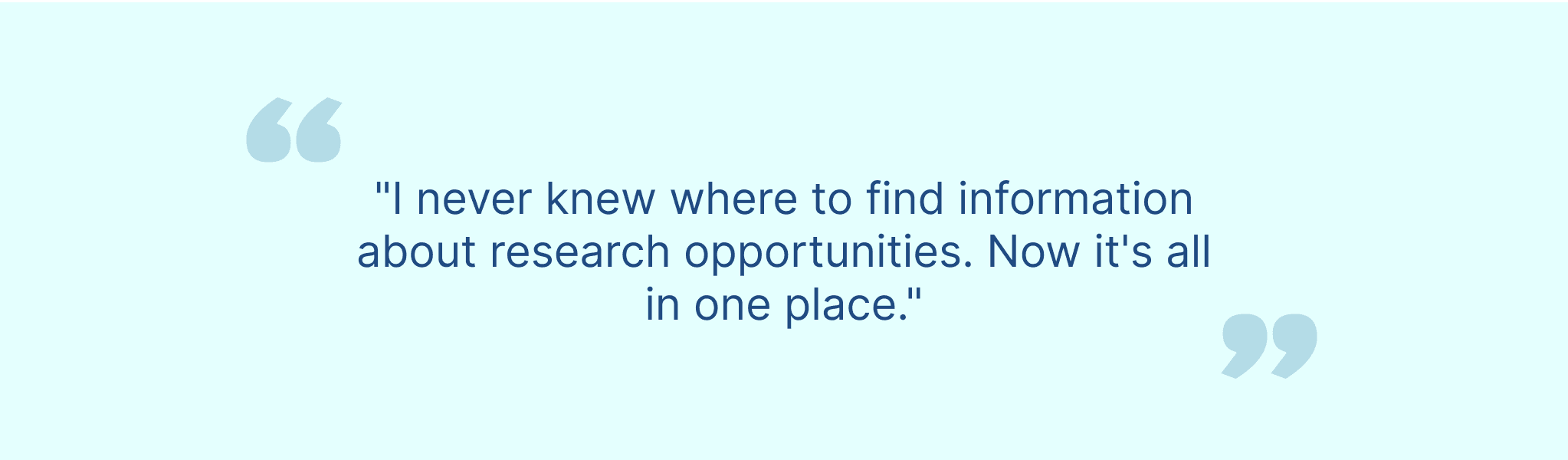
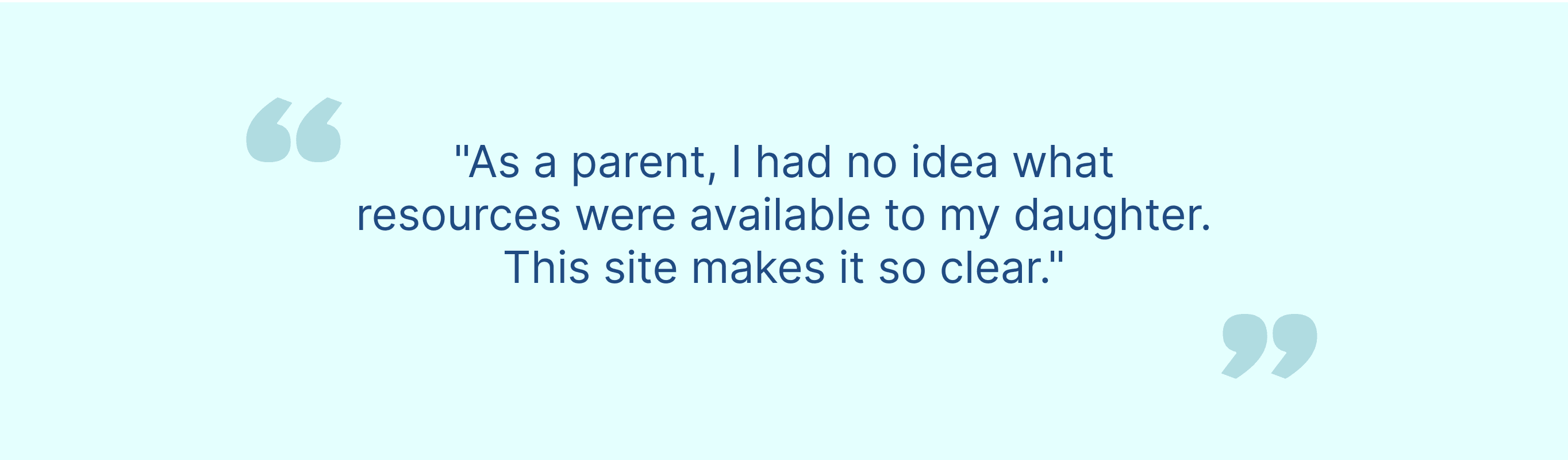
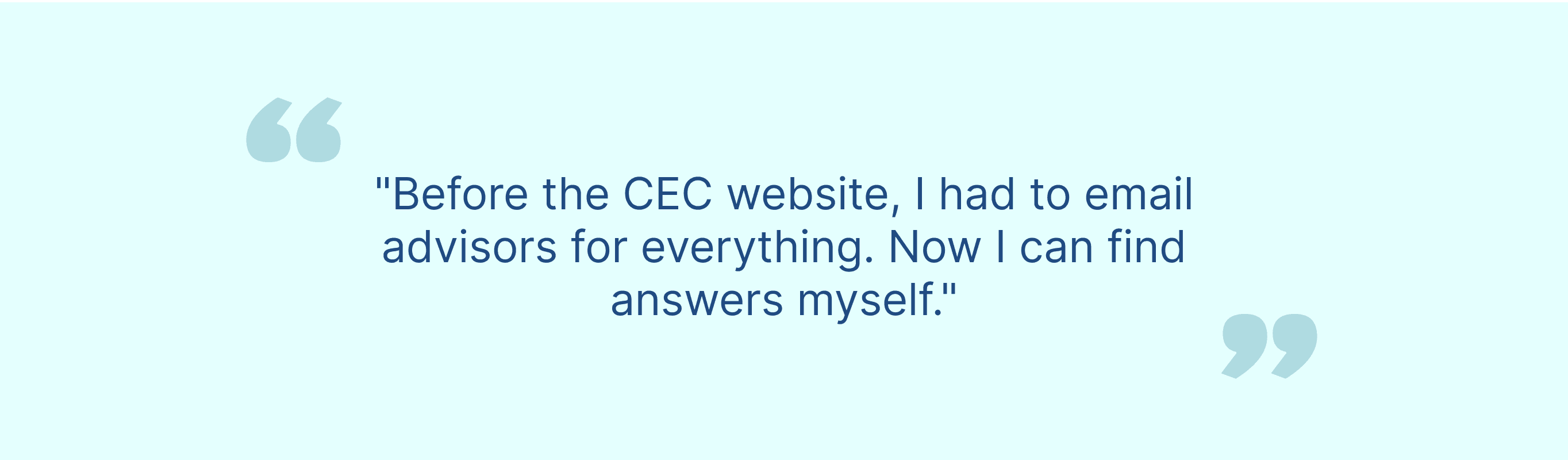
I conducted 15 in-depth user interviews across all stakeholder groups to understand their pain points, goals, and mental models:
6 medical students (current students navigating courses, resources, schedules)
3 faculty members (professors managing course content, student communication)
2 administrative staff (admissions, student services, department coordination)
2 parents (prospective/current student parents seeking information)
2 CEC department stakeholders (new department needs, goals, constraints)
Key questions explored:

03
SURVEY AND ANALYTICS
Quantitative Research
Beyond interviews, I conducted surveys and analyzed existing website data:
Surveys (4 total):
- Student experience survey (200+ responses)
- Faculty needs assessment (50+ responses)
- Parent information-seeking survey (100+ responses)
- CEC stakeholder requirements survey (15+ responses)
Analytics Review:
- Analyzed 6 months of website traffic data
- Identified top exit pages (where users gave up)
- Mapped most-visited pages vs. actual user needs
- Discovered 60% of users relied on site search (indicating poor navigation)
- Found mobile traffic was 45% but mobile experience was broken
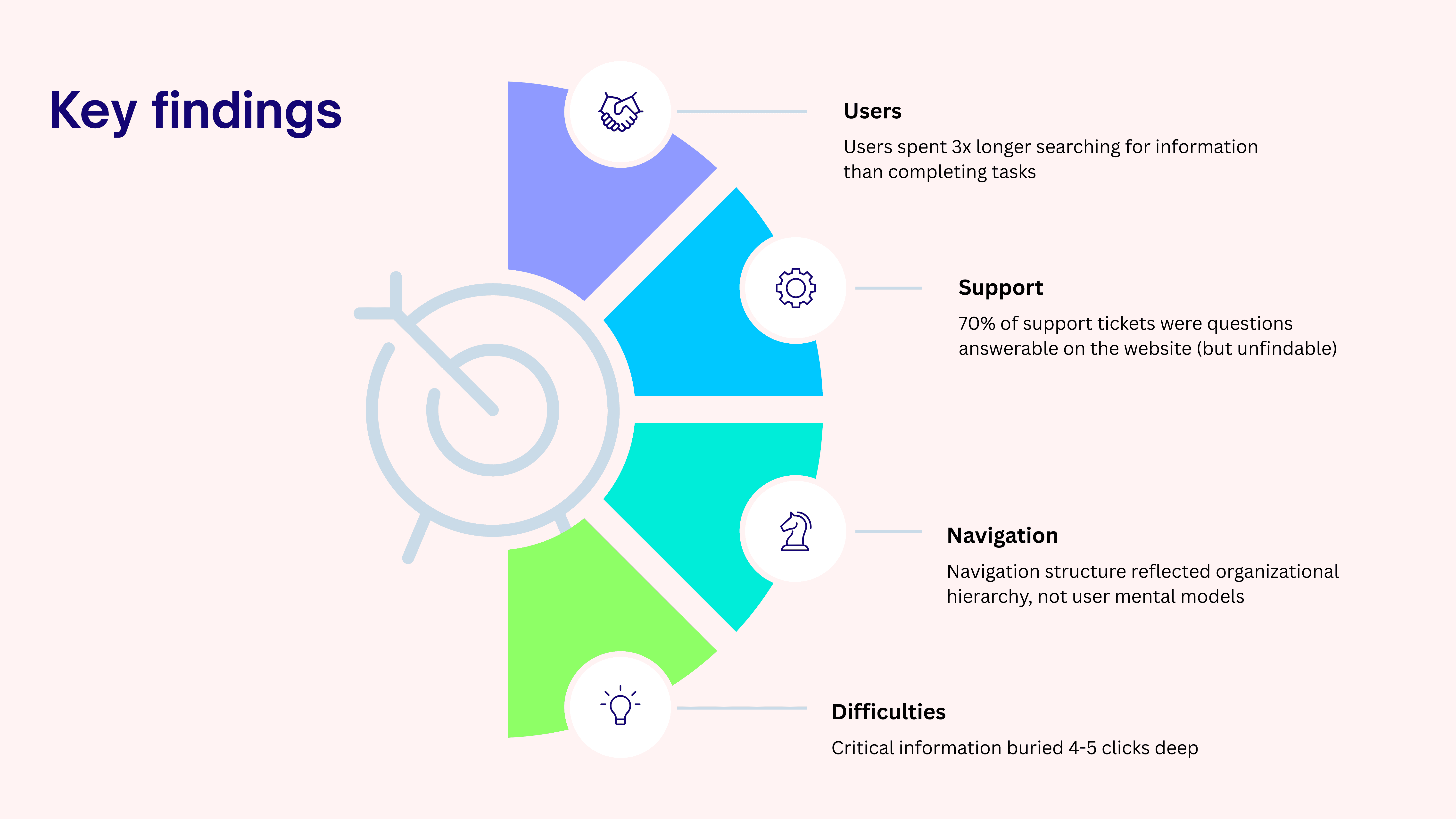
Key findings
Competitive Analysis
I evaluated the main University of Arizona website and 8 peer medical college websites to identify best practices and gaps:
Analyzed:
- Johns Hopkins School of Medicine
- Stanford Medicine
- Harvard Medical School
- UCSF School of Medicine
- University of Michigan Medical School
- Main University of Arizona website (for brand consistency)
Gap identified: Most medical school sites prioritized research/prestige over student/parent usability. Opportunity to differentiate by being genuinely user-friendly.
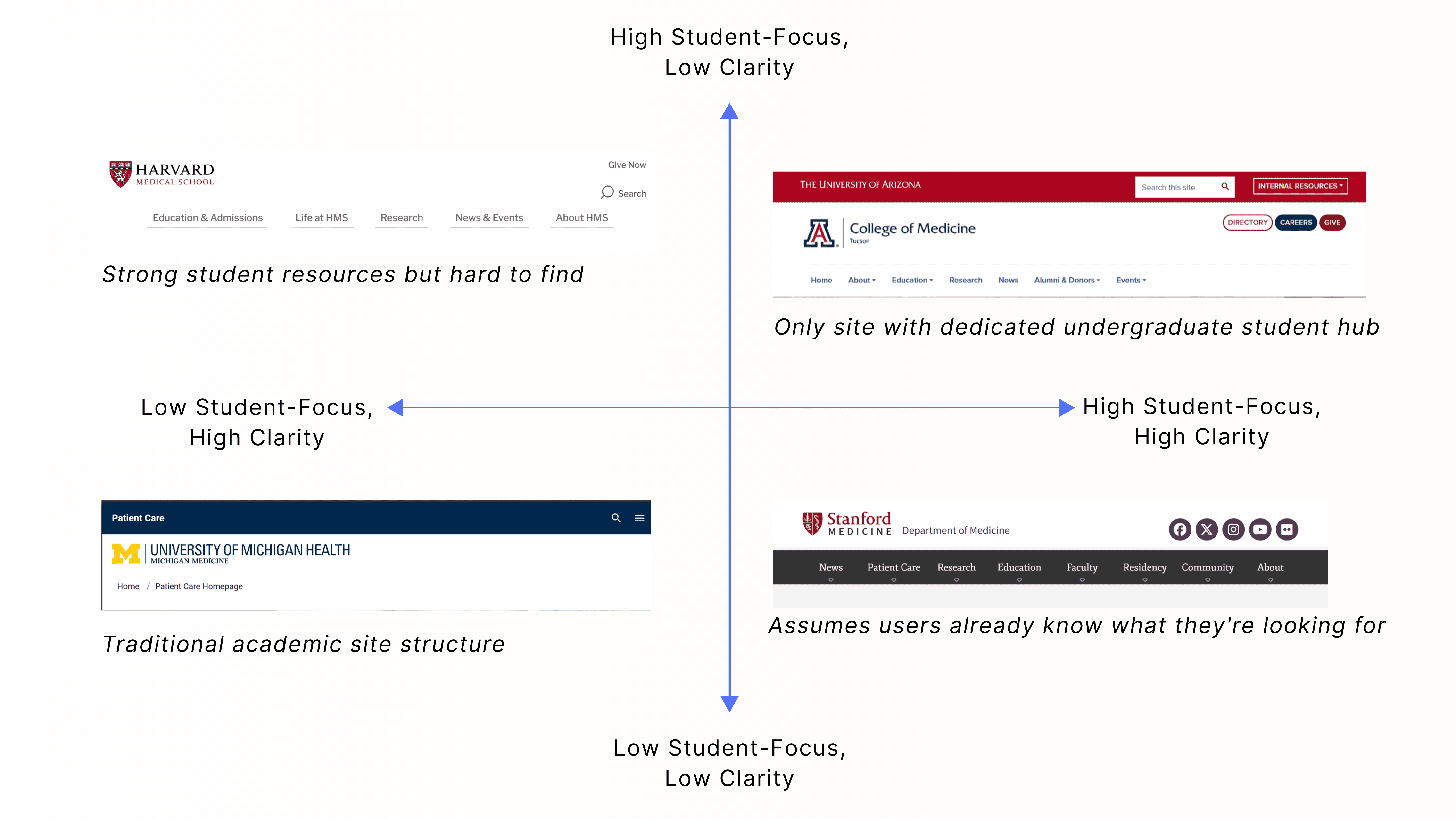
Competitor analysis grid
Navigating Competing Stakeholder Needs
I interviewed 10+ stakeholders across departments to understand:
- Brand guidelines and constraints
- Accessibility requirements (WCAG 2.1 AA compliance mandatory)
- Technical limitations (university CMS restrictions)
- Content ownership and approval processes
- Political considerations (department visibility, hierarchy)
Challenge: Every department wanted top-level navigation placement. Solution required diplomacy and data-driven prioritization.
04
DEFINE PHASE
Defining User Groups and Priorities
With research complete, I synthesized findings to define clear user personas and prioritize features based on frequency and impact.
User Personas
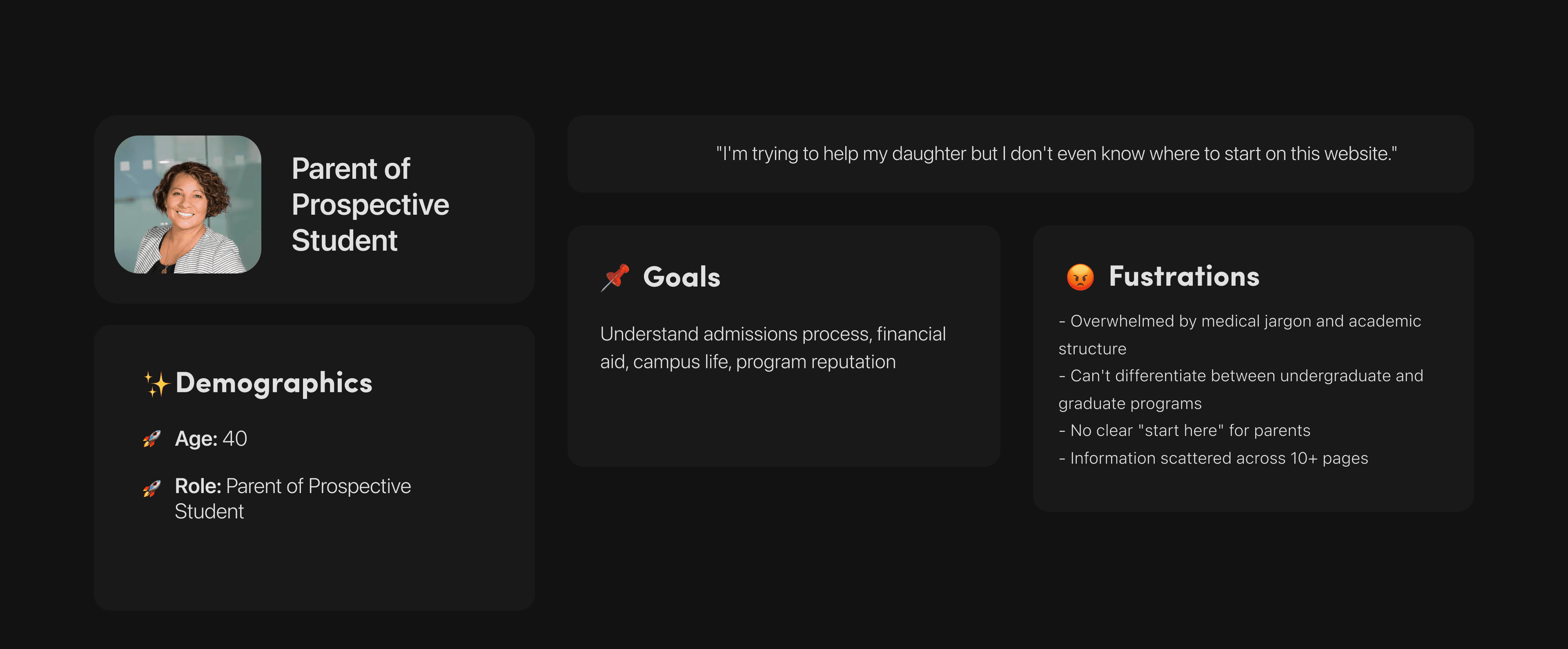
User Persona: Parent
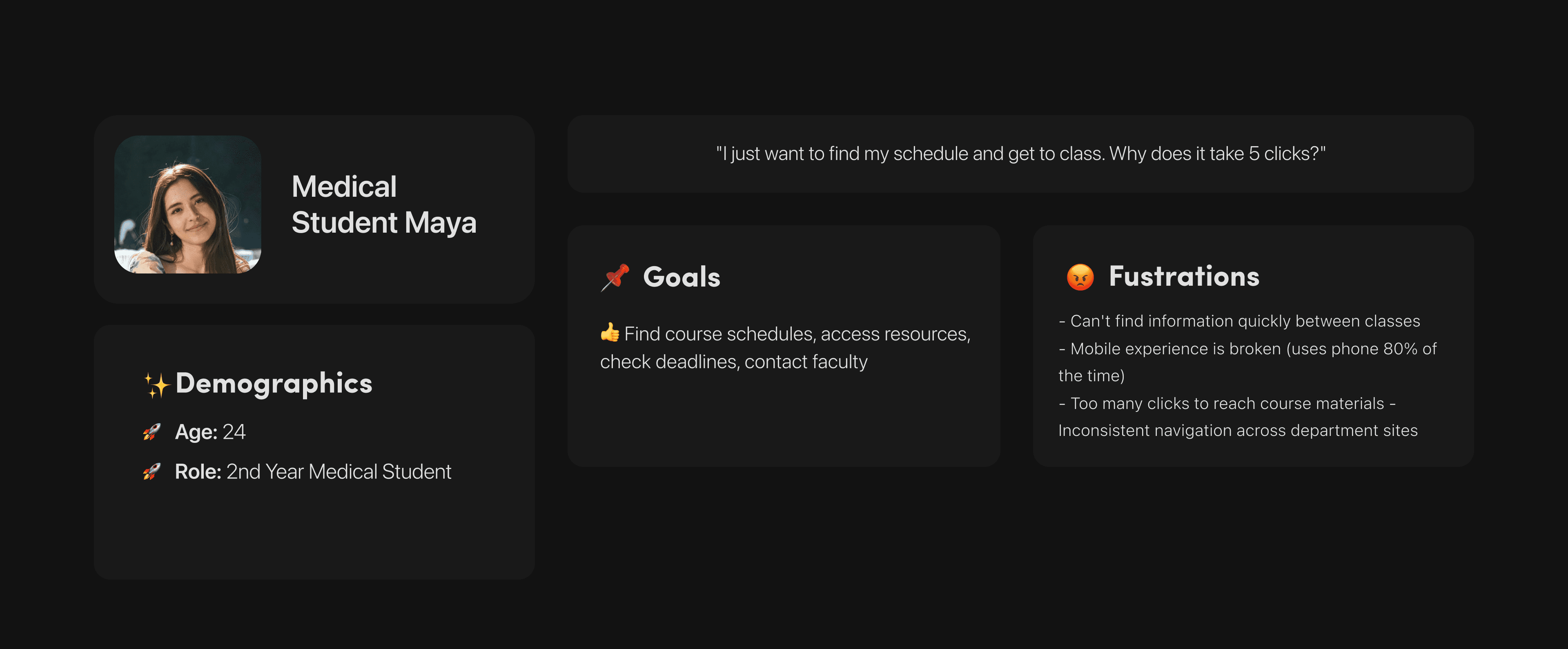
User Persona: Student Maya
Information Architecture Priorities
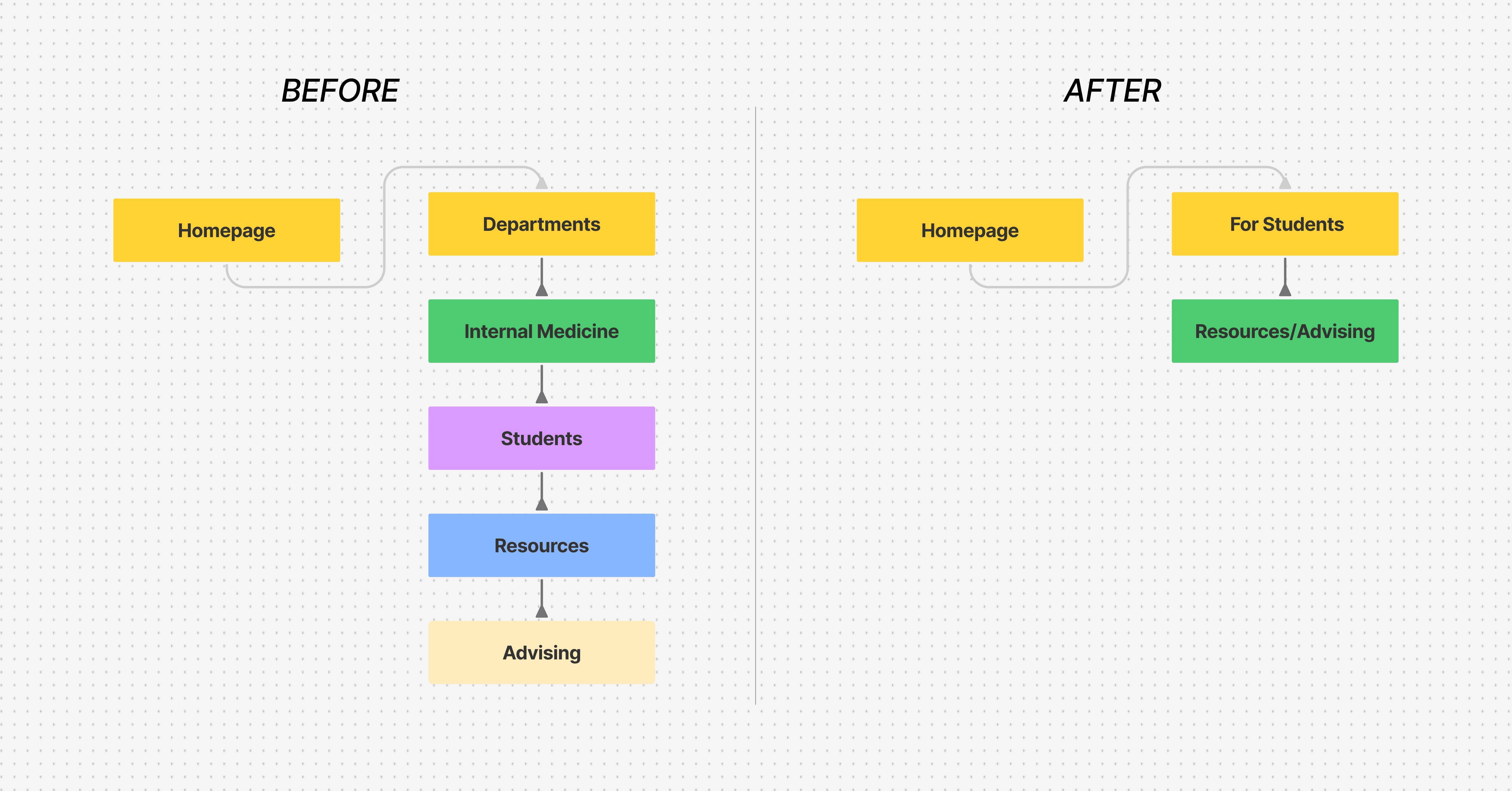
Based on research, I prioritized IA around user tasks, not organizational structure:
Top User Tasks (by frequency):
Find course schedules (students)
Check admissions requirements (prospective students/parents)
Access resources and tools (students, faculty)
Contact specific departments (all users)
Learn about programs (prospective students/parents)
Navigation Structure:
Primary nav: Task-based (For Students, For Faculty, For Parents, Admissions, Programs)
Secondary nav: Department-specific (Internal Medicine, CESL, etc.)
Footer: Administrative links (IT, Support, Policies)
User Persona: Student Maya
05
IDEATION & DESIGN
With clear user needs defined, I began wireframing solutions that balanced competing stakeholder requirements while maintaining simplicity for end users.
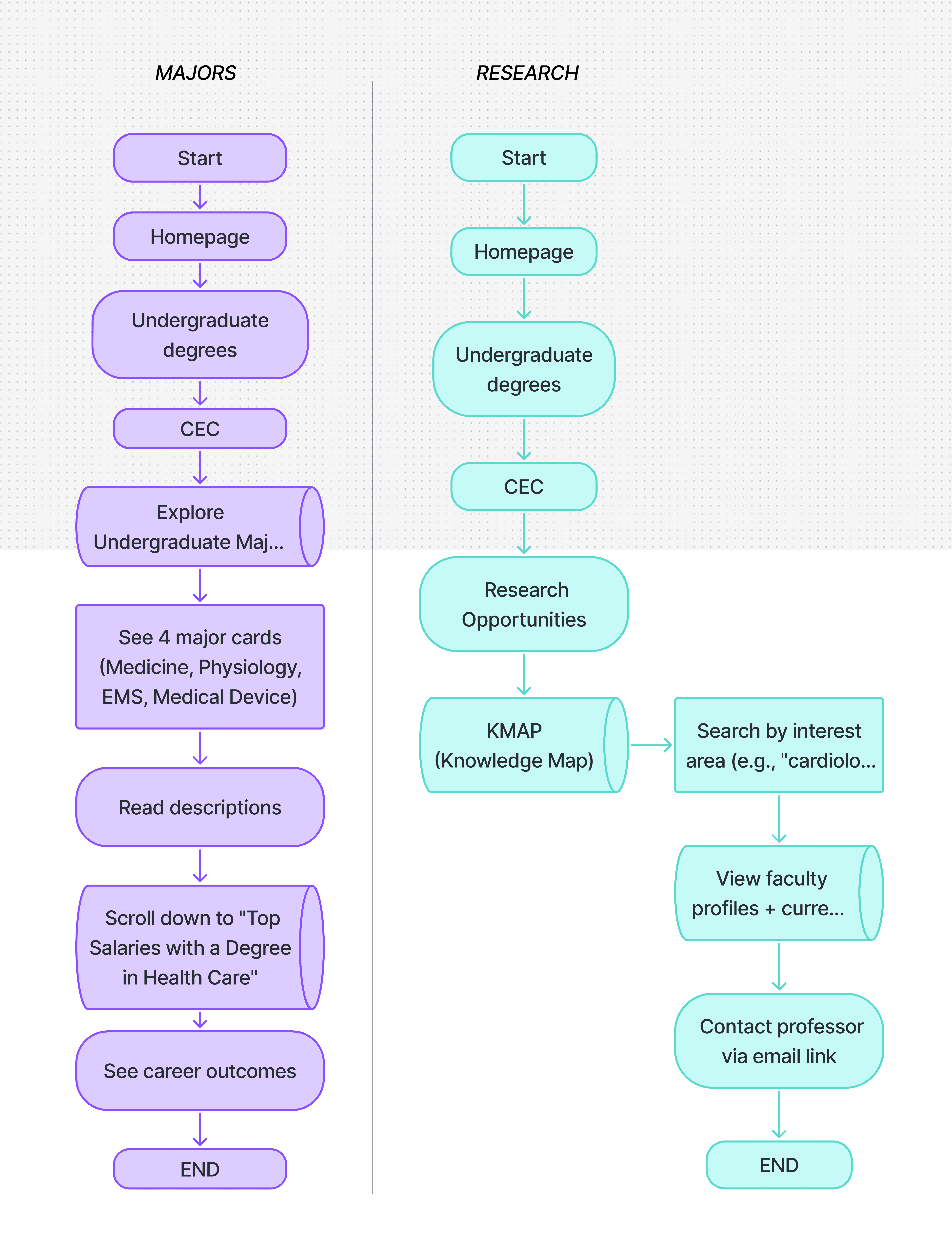
User Flows: Exploring Majors vs. Finding Research
Wireframes & User Flows
I created user flows for the 5 most critical paths:
1. Student finding course schedule
2. Parent researching admissions process
3. Prospective student exploring programs
4. Faculty accessing admin tools
5. International student finding CEC information
Each flow was wireframed at low-fidelity first, tested with 5+ users, then refined based on feedback.
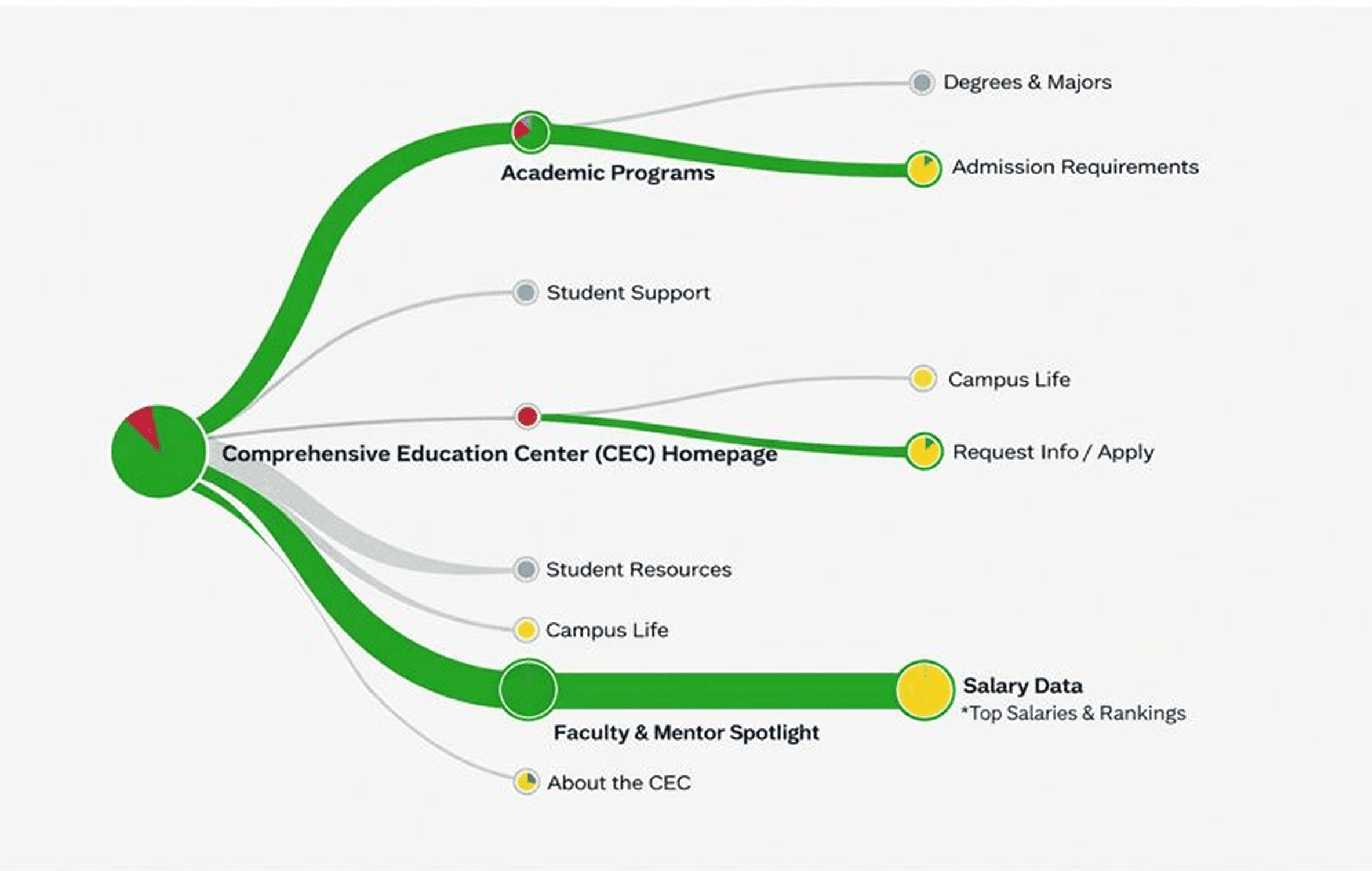
Results from a tree test for the CEC website 2024
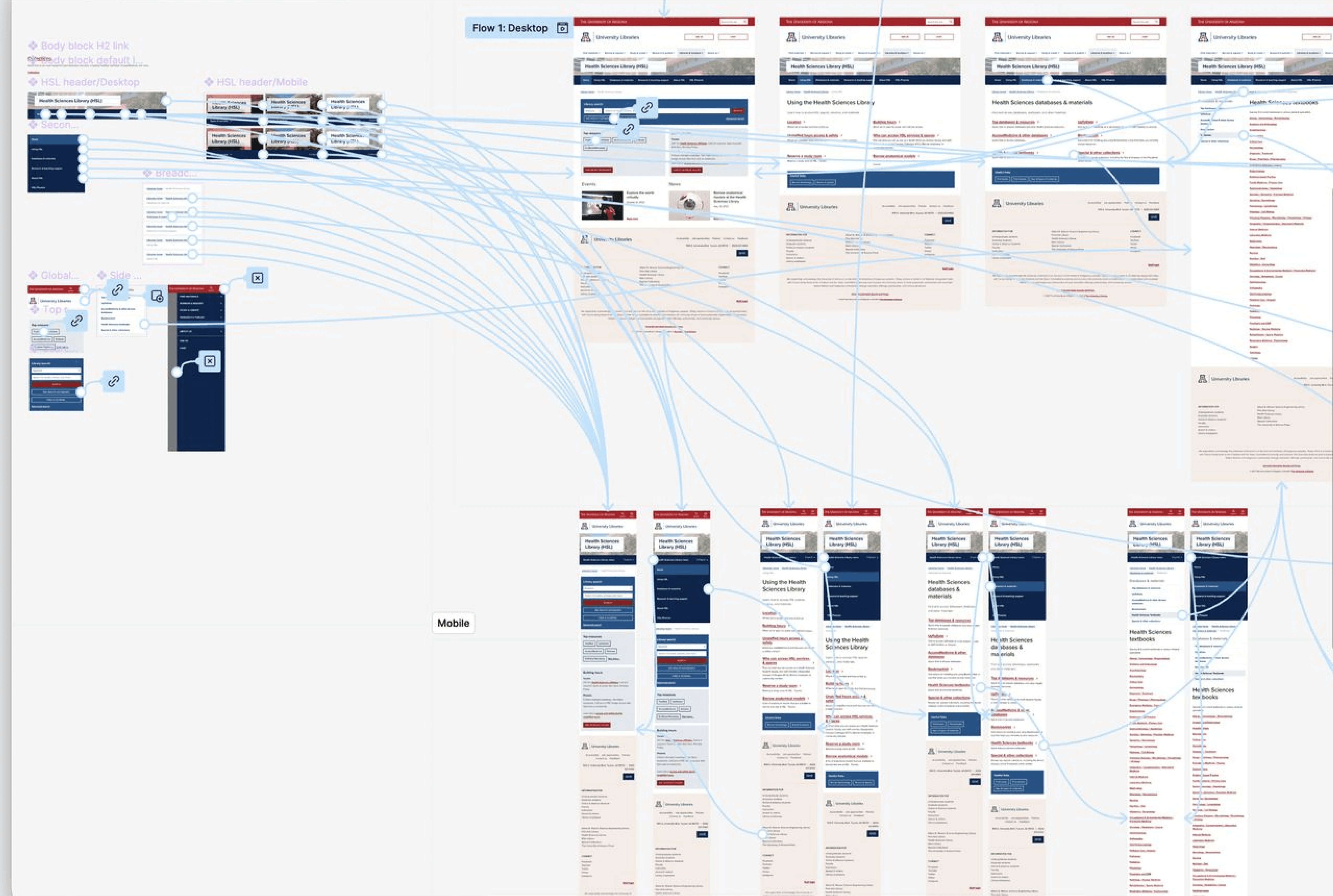
Prototype of the College of medicine website 2024
Before: Every designer created unique layouts
After: Component library + design system documentation
Why: Consistency builds trust and reduces cognitive load. Future designers need structure to maintain quality.
Impact: New pages can be designed 60% faster using reusable components.
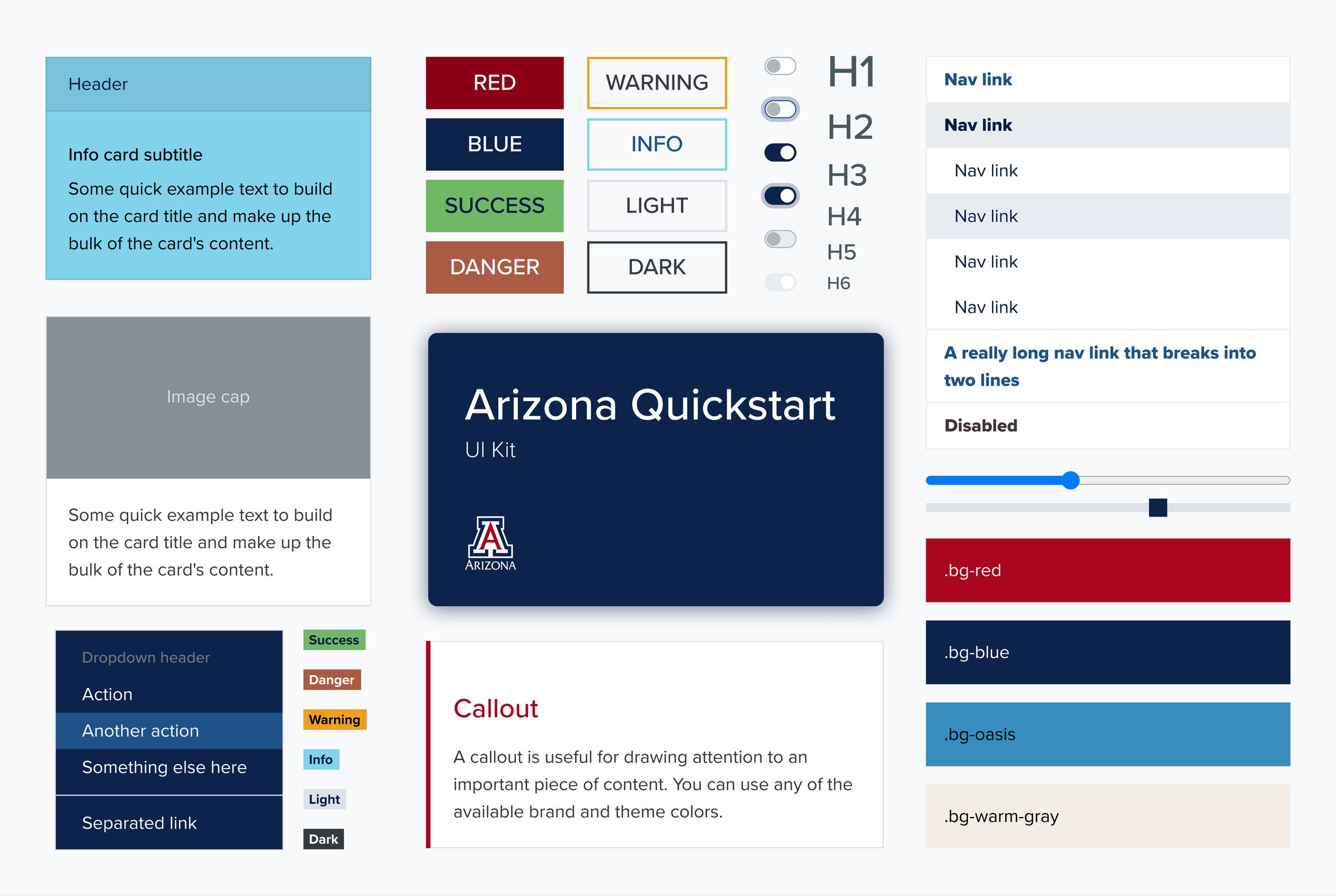
Components in Arizona Quickstart's design system
06
USABILITY TESTING
Testing with Real Users
I conducted 2 rounds of usability testing with 15+ participants to validate design decisions before launch.
Testing Process
Round 1: Low-fidelity wireframes (5 students, 2 parents)
- Goal: Validate information architecture and navigation structure
- Finding: "For Students" label was clear, but "Admissions" vs. "Programs" created confusion
Round 2: High-fidelity prototypes (5 students, 2 staff, 1 parent)
- Goal: Validate visual design and accessibility
- Finding: Color contrast issues on certain buttons (fixed for WCAG compliance)
07
FINAL SOLUTION TESTING
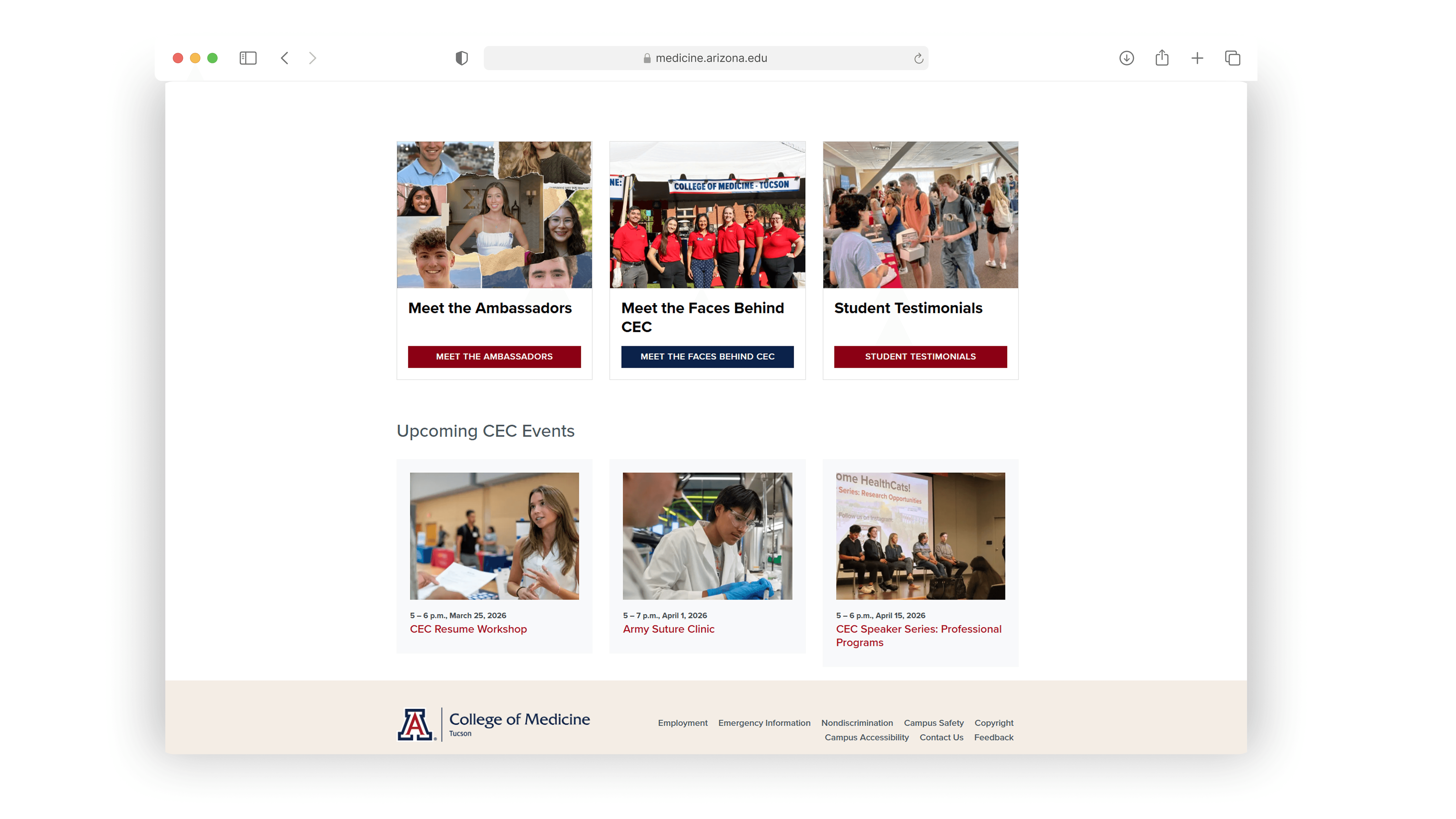
The Complete Digital Ecosystem
Here's the final solution: a responsive website, scalable design system, and framework for future designers.
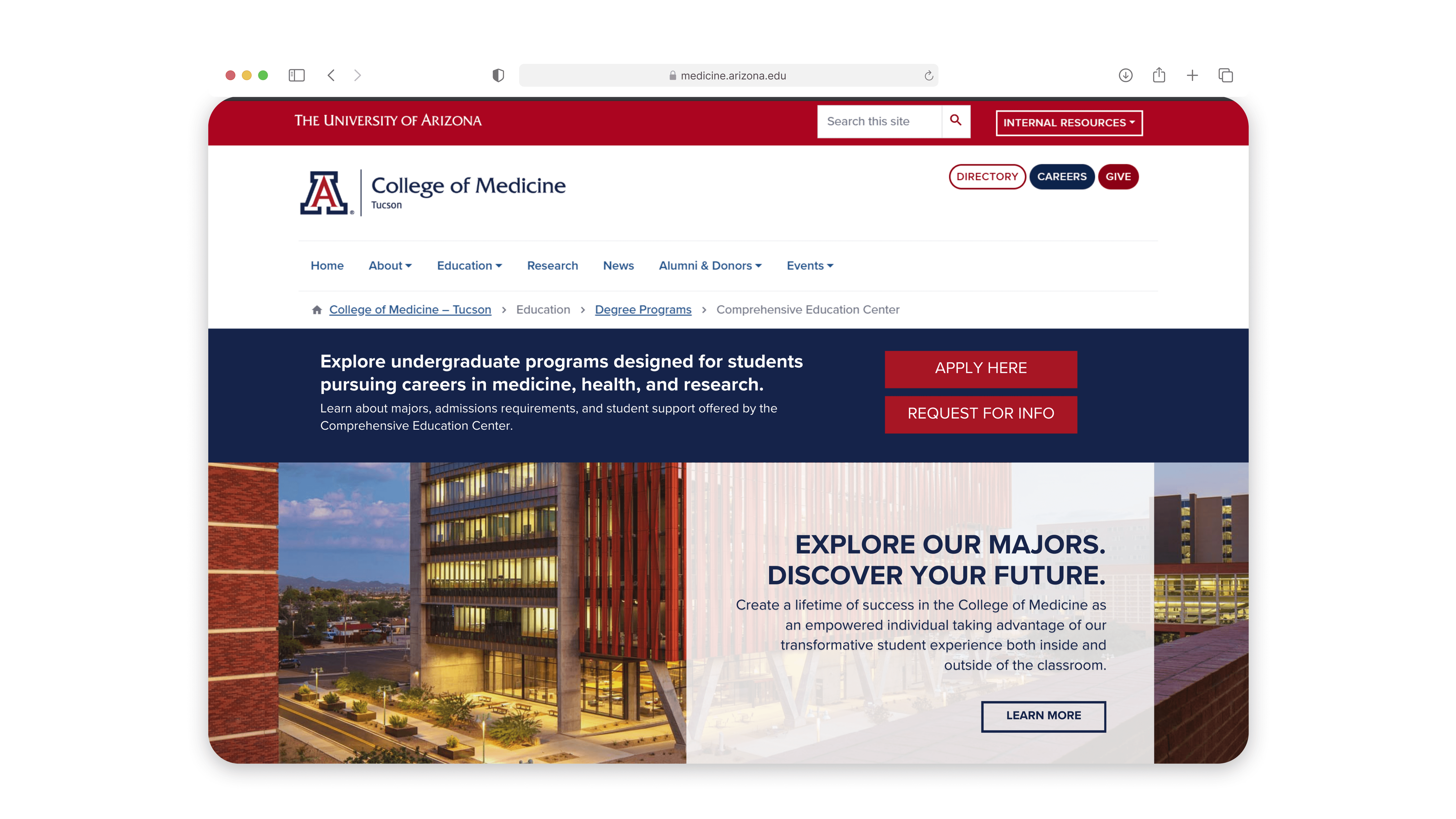
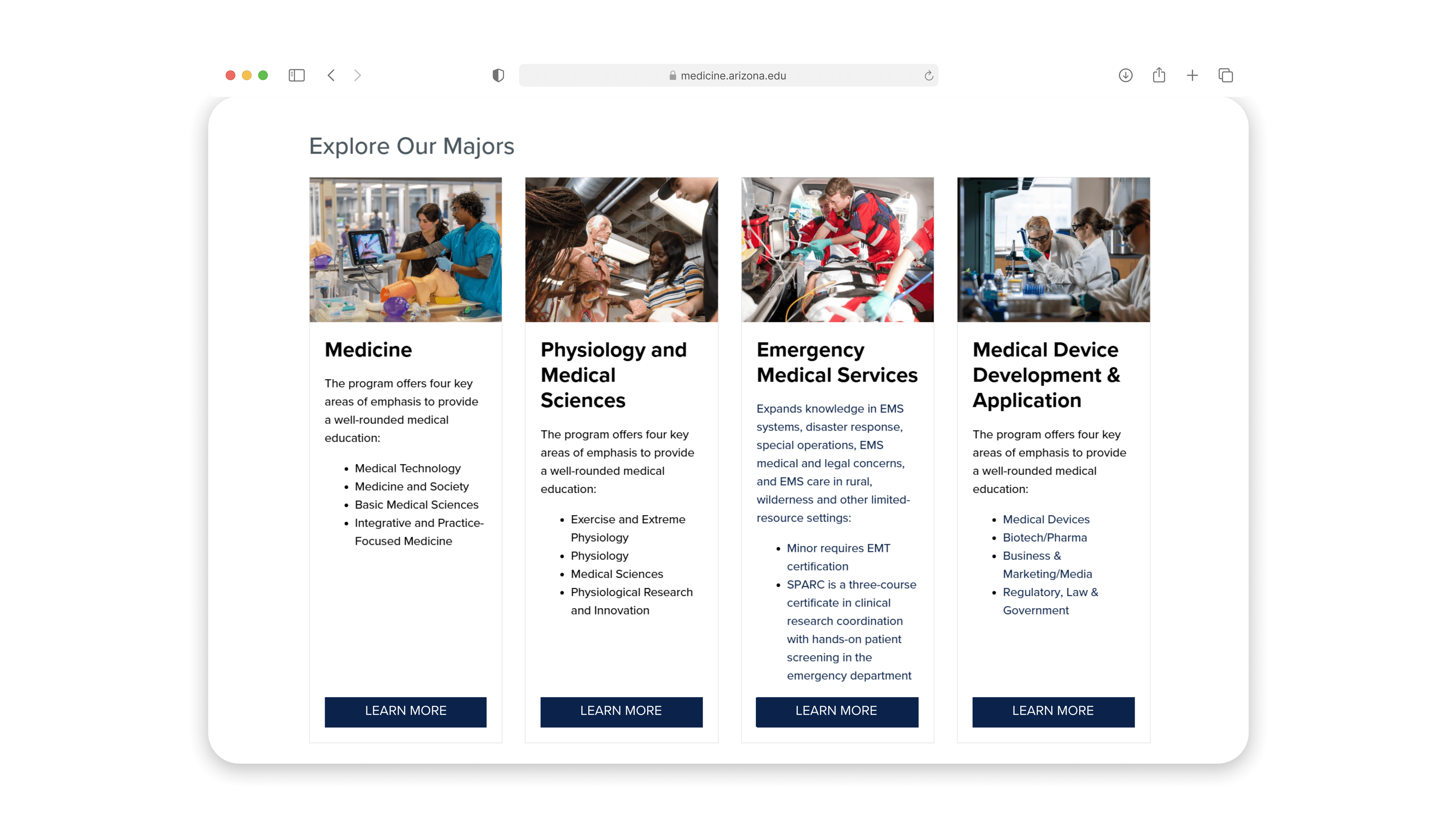
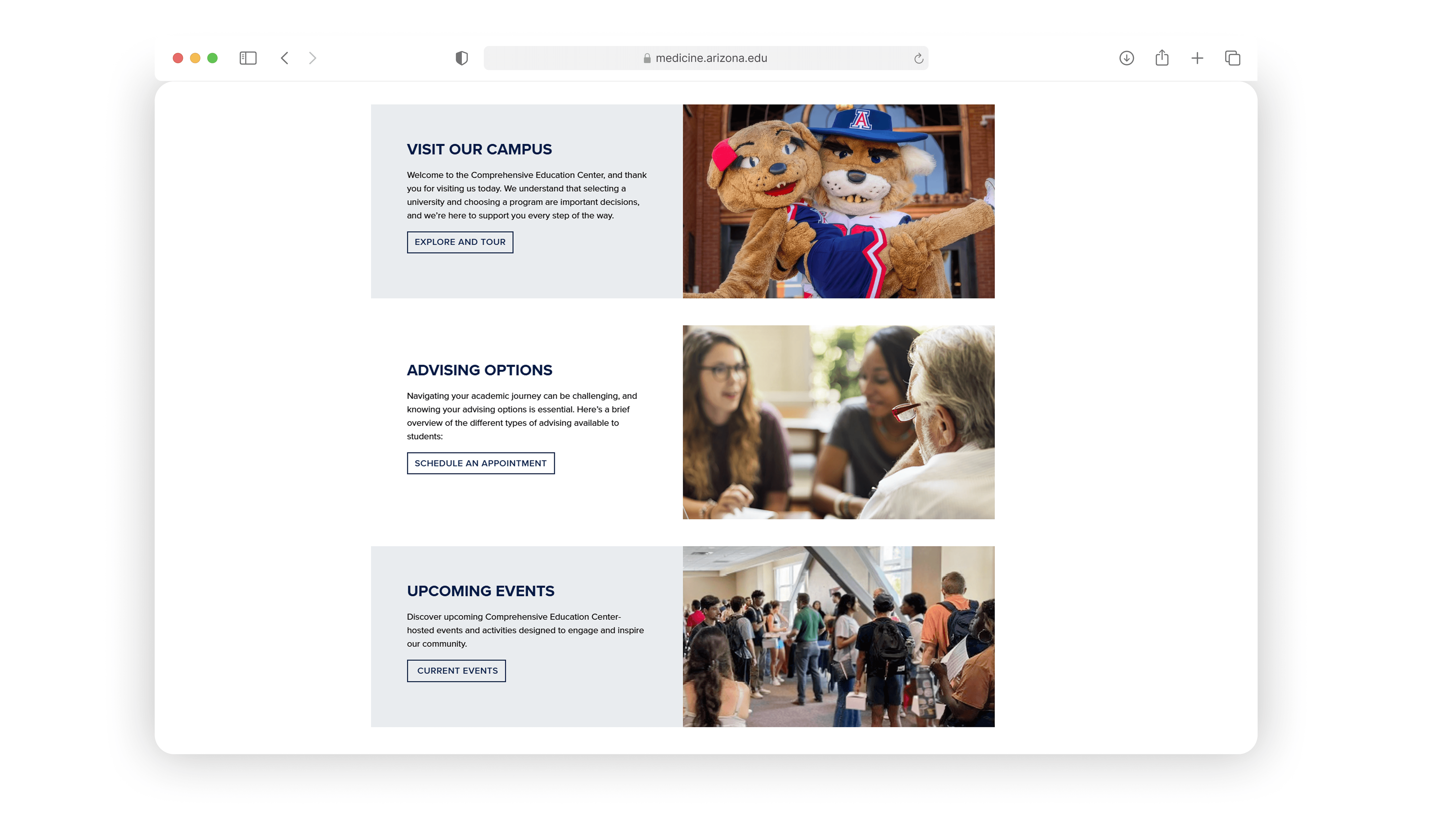
08
IMPACT
The redesigned digital ecosystem launched successfully and is now used by 10,000+ students, faculty, staff, and parents.
09
WHAT I LEARNED
10
CONCLUSION
This project reinforced that research-driven design works. By understanding users deeply, testing early, and iterating based on feedback, we created a system that serves 5000+ people better than the previous one. Most importantly, it proved that scalable systems design frameworks, component libraries, clear documentation enable quality to persist long after the original designer moves on. This experience shaped how I approach all design work today: start with users, design for accessibility from day one, test relentlessly, and build systems that scale.
